Accessibility Statement for Vitality Hub
Vitality Hub is committed to ensuring digital accessibility for everyone. We are continually improving the user experience for all visitors and applying the relevant accessibility standards. Our goal is to provide access to the same information and services regardless of disability or assistive technology used.
Our Commitment to Accessibility
Vitality Hub strives to conform to the Web Content Accessibility Guidelines (WCAG) 2.1, level AA. These guidelines outline four main principles: Perceivable, Operable, Understandable, and Robust (POUR). By adhering to these principles, we aim to make our website more accessible to people with disabilities, including those with visual, auditory, cognitive, motor, and speech impairments.
We have taken the following measures to ensure accessibility:
- Providing alternative text for all images and non-text content.
- Ensuring sufficient color contrast between text and background.
- Making our website navigable using a keyboard.
- Using clear and simple language.
- Providing captions and transcripts for video and audio content where available.
- Using ARIA attributes to enhance the accessibility of interactive elements.
- Regularly testing our website for accessibility issues.
ARIA Attributes
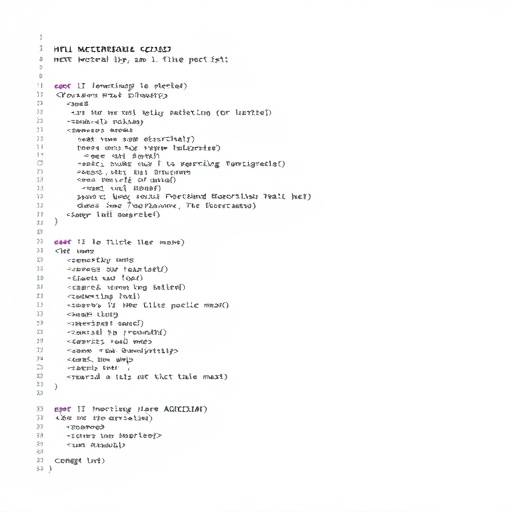
We utilize ARIA (Accessible Rich Internet Applications) attributes to provide additional information to assistive technologies, such as screen readers. Here are some examples of ARIA attributes used on our website:
-
aria-label: Provides a descriptive label for elements that do not have visible text, such as icons or buttons. -
aria-describedby: Associates an element with its description, providing additional context for users. -
aria-expanded: Indicates whether a collapsible element is currently expanded or collapsed. -
aria-live: Informs assistive technologies about dynamic content updates. -
role="navigation": Identifies a section of the page as a navigation area. -
role="button": Identifies an element as a button, even if it's not a native HTML button.
Here is an example demonstrating the use of ARIA labels on a search button:
<button aria-label="Search Vitality Hub">
  <img src="" alt="Search icon" loading="lazy">
</button>
Navigating Vitality Hub with a Keyboard
Our website is designed to be fully navigable using a keyboard. You can use the following keys to navigate through the page:
- Tab: Moves focus to the next interactive element.
- Shift + Tab: Moves focus to the previous interactive element.
- Enter: Activates a focused link or button.
- Arrow keys: Can be used to navigate within certain elements, such as menus or lists.
Instructions for Users with Disabilities
If you are having difficulty accessing content on Vitality Hub, please try the following:
- Ensure that JavaScript is enabled in your browser.
- Try using a different browser.
- Adjust your browser's font size and color settings.
- Use a screen reader or other assistive technology.
- Explore our alternative navigation options at the bottom of each page.
Here's how to adjust font sizes in common browsers:
- Chrome: Go to Settings > Appearance > Font size.
- Firefox: Go to Options > General > Language and Appearance > Fonts & Colors.
- Safari: Go to Preferences > Accessibility.
- Edge: Go to Settings > Appearance > Fonts.
If you continue to experience difficulties, please contact us using the information provided below. We welcome your feedback and will do our best to address any issues.
Feedback and Contact Information
We welcome your feedback on the accessibility of Vitality Hub. Please let us know if you encounter any accessibility barriers while using our website. You can contact us at:
- Email: [email protected]
- Phone: (647) 555-0123
- Address: 100 Health Street, Toronto, ON M5G 1H6, Canada
Accessibility Features Summary
| Feature | Description |
|---|---|
| Alternative Text |
Descriptive alternative text is provided for all images.

|
| Keyboard Navigation |
The website is fully navigable using a keyboard.

|
| Color Contrast |
Sufficient color contrast is used to ensure readability.

|
| ARIA Attributes |
ARIA attributes are used to enhance the accessibility of interactive elements.
|
| Clear Language |
Clear and simple language is used throughout the website.
|
| Responsive Design |
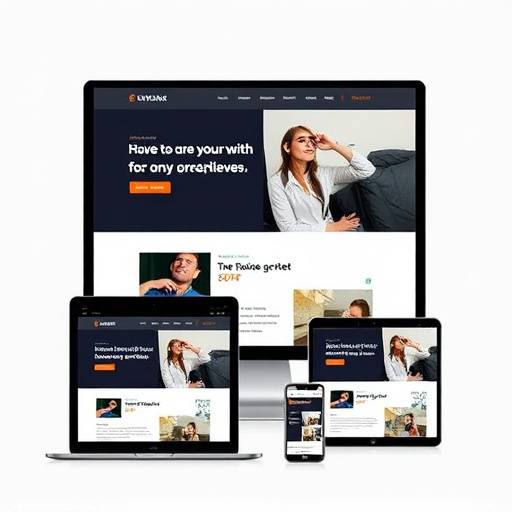
The website is responsive and adapts to different screen sizes.
|
Accessibility Resources
Links to Other Pages
Explore other sections of our website: